Please follow the below steps to get permission to access the across License Management pages:
- Create your account in across Community. The email address for the account of the community doesn’t have to be the email address that you used during purchase.
- Log in across Community and follow one of the below steps to register the email address that you used during purchase.
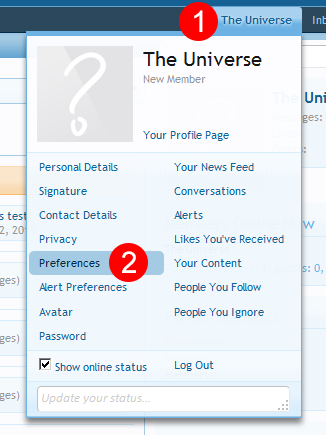
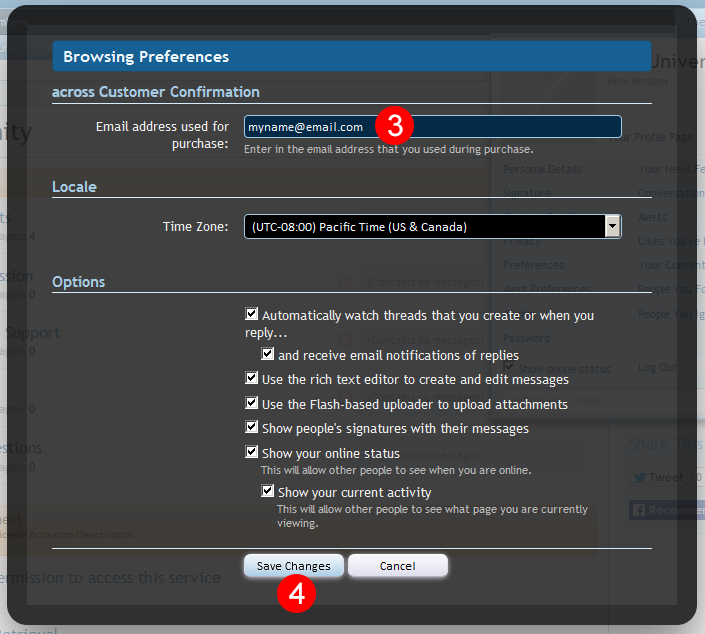
- Move the mouse cursor over your username on the top navigation, then your account management menu will appear. Click the [Preferences] in the menu and then the [Browsing Preferences] overlay window will appear. Enter the email address that you used during purchase in the [Email address used for purchase] field and then click the [Save Changes] button.
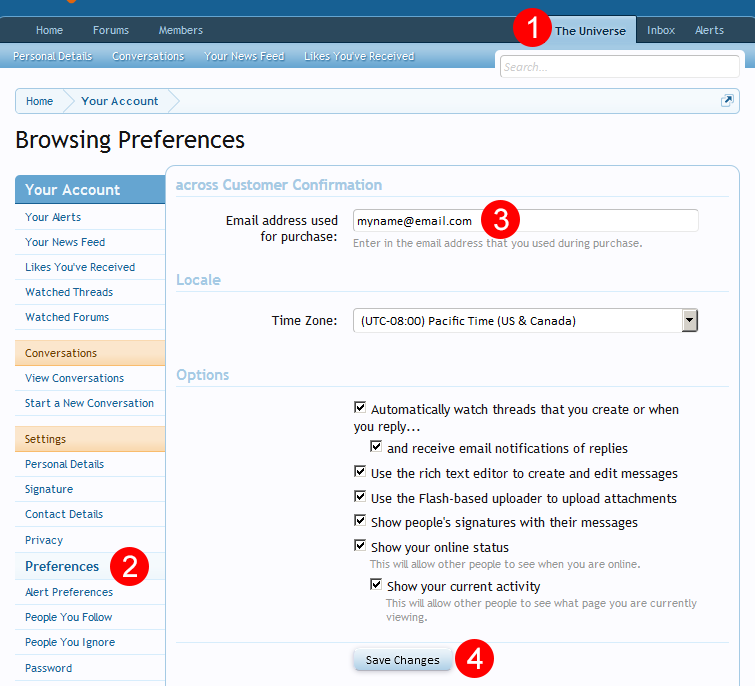
- Click your username on the top navigation, then the [Personal Details] page will open. Click the [Preferences] on the left navigation and then the [Browsing Preferences] page will open. Enter the email address that you used during purchase in the [Email address used for purchase] field and then click the [Save Changes] button.
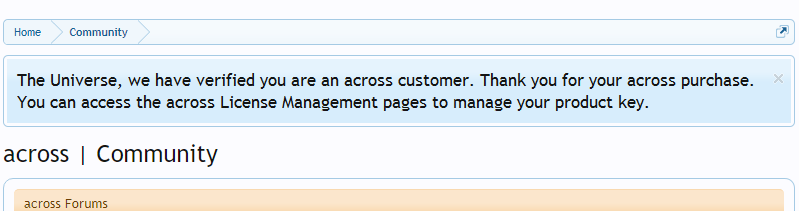
- Our system needs a minute to process your input, so reload our web-page 1-2 minutes later. Once you get the permission, you will see a notice like the below picture.